NotebookLM: The AI Tool You Might Not Be Using Yet
A Google tool that only works with the material you give it: notes, papers, transcripts. What it does, what changed in November 2025, and how to use it to learn.
I’ve been watching students, from school to university, studying the same way we did over 20 years ago: surrounded by highlighted notes, trying to memorize everything the day before the exam, often saying they don’t really understand it or that it won’t be useful later on.
And meanwhile, tools like NotebookLM go almost completely unnoticed… or, in some cases, are even forbidden.
I’ve been using it for quite some time to learn about different topics, from papers like “Situational Awareness” to methodologies like “Lean Startup”, among others, and every time I use it, I’m more convinced of one thing:
If I had this tool when I was a student, I would have learned three times more, and much faster.
What is NotebookLM?
NotebookLM is a tool developed by Google that allows you to learn, understand, and connect information based on your own materials. It doesn’t search the web or hallucinate (which in AI means ‘to make things up’) answers, it only uses what you provide.
In other words, you define the content, and AI helps you get the most out of it.
You can upload notes, documents, articles, research papers, or even meeting transcripts; whatever you like.
From there, NotebookLM becomes a kind of personal tutor you can chat with: ask questions, request summaries, or have it explain and connect ideas across your materials.
The Magic: Studio Features
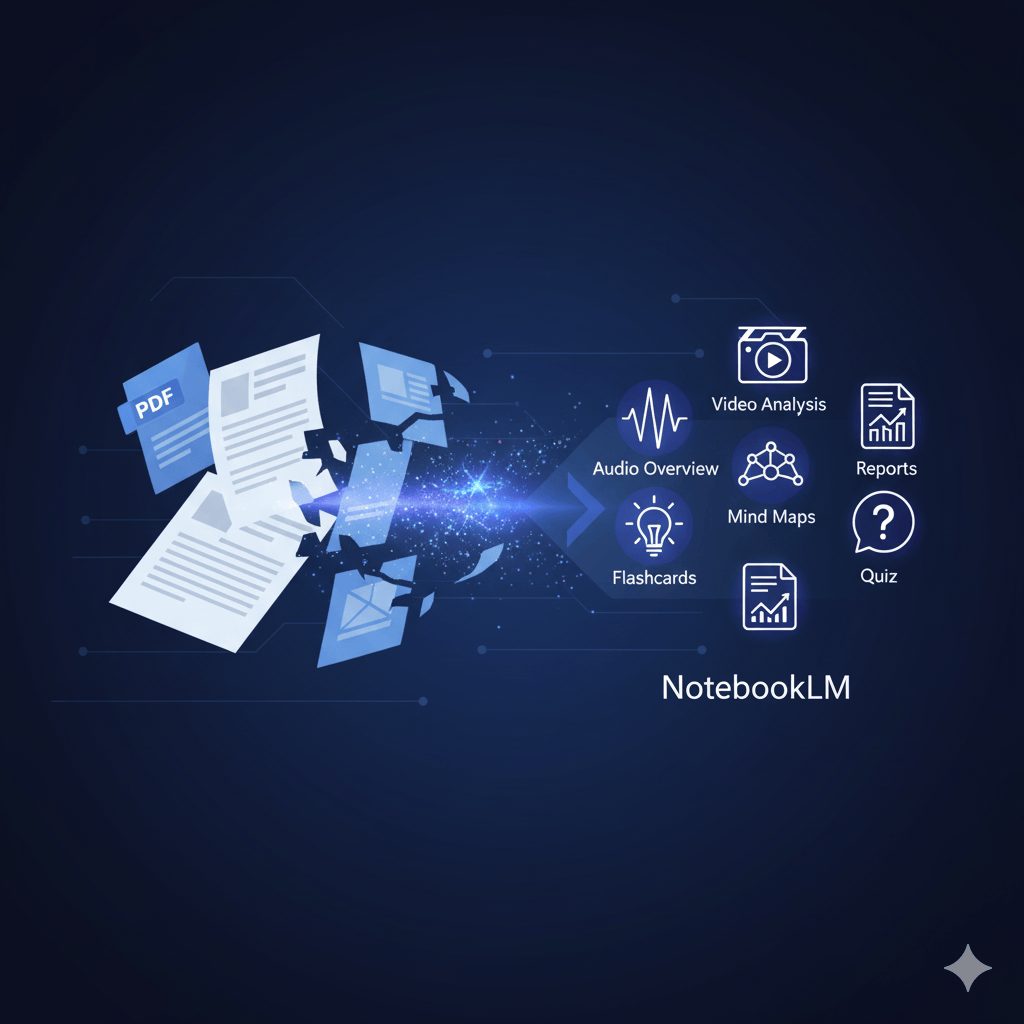
Inside its Studio section, you’ll find powerful tools such as:
- Audio Overview: Turns your texts into a podcast-style explanation, perfect for revising while on your commute. It’s honestly a game-changer—the way the voices interact, and how you can “interrupt” the conversation to ask your own questions, is amazing. New format options include Brief, Critique, and Debate styles.
- Video Overview: Creates a narrated video presentation of your content, great for visual reinforcement. Now with enhanced Nano Banana AI visuals.
- Mind Map: Automatically builds concept maps showing how key ideas are related.
- Reports: Condenses your information into a structured summary, ideal for papers or presentations. You can now customize structure, tone, and language.
- Flashcards & Quizzes: Transforms your content into interactive review cards and generates test-style questions to check your understanding. These are now available on mobile.
- Deep Research (NEW – November 2025): Search the web on your behalf, collect information from hundreds of sources, and generate detailed, citation-grounded reports without leaving your notebook.
What’s Changed Recently? November 2025 Updates
Google just rolled out major updates to NotebookLM that significantly expand what’s possible:
Deep Research with Web Browsing
The most significant update is Deep Research, which now allows NotebookLM to browse the web autonomously. You can choose between:
- Fast Research: Quick surface-level information
- Deep Research: In-depth analysis that runs in the background while you continue working
The tool creates a research plan, scans hundreds of websites, and delivers a source-grounded report that you can import directly into your notebook. This is a game-changer because it means you no longer need to use multiple tools to research—everything stays within NotebookLM.
Extended File Format Support
You can now upload:
- Google Sheets
- Microsoft Word documents (.docx)
- PDFs from Google Drive
- Google Drive files via URL
- Images (coming in the next few weeks)
This means you can analyze spreadsheet data, work with formatted documents, and keep everything in one place.
Enhanced Collaboration & Privacy
- Chat history now saves by default
- Goal-based chat customization for different purposes
- Privacy controls for shared notebooks (chat history can be deleted, and chat views are individual)
Resizable Panels & Better UX
- Studio panels are now resizable for better workflow customization
- Improved interface flexibility
AI Backend Improvements
- Context window increased by 8x (8 times longer working memory)
- Now powered by Gemini 2.5 for smarter responses
- Support for up to 1,000,000 token context window
Imagine the Possibilities
If you’re a student, you can upload your class notes or reading materials, engage with them to learn more effectively, and prepare for exams. NotebookLM doesn’t just summarise, it helps you understand what you study.
As a teacher, you can prepare your class materials and provide your students with summaries, audio overviews, or quizzes to help them learn better. It’s not about replacing your work, it’s about multiplying its impact.
If you’re a professional, you can use it to analyze documentation without relying on internet searches. For example, upload a contract and ask specific questions, or upload financial statements and have NotebookLM help you structure your board presentation. The new Deep Research feature also lets you compile research reports on industry trends or competitive analysis.
And if you simply love learning, it’s the perfect companion to explore any topic.
I use it myself to dive into “random” subjects, and the audio feature has become essential for my commute. Now with Deep Research, I can build comprehensive knowledge bases on topics I’m investigating without fragmenting my workflow.
How Does It Compare to Other AI Learning Tools?
Many people ask how NotebookLM differs from tools like ChatGPT (with Study mode) or Google Gemini (with Guided Learning).
The key distinction is that NotebookLM doesn’t pull information from the web (unless you explicitly use Deep Research), it focuses entirely on your own sources. When you chat with ChatGPT or Gemini, they can provide general knowledge or generate ideas, but NotebookLM acts as your private study partner, understanding only the materials you upload.
This makes it perfect for in-depth learning and analysis of your specific documents, while the others shine when you need quick answers, brainstorming, or inspiration.
Combine and Conquer
One of the keys to making the most of AI is not relying on a single tool, but combining them intelligently.
For example:
- Use a research tool to find reliable, cited articles on any topic
- Use ChatGPT to refine or reformat that information—create summaries, outlines, infographics, or content
- Upload everything to NotebookLM, where you can analyze, connect ideas, and generate your own learning materials (podcasts, mind maps, quizzes, etc.)
This way, you build your own personalized knowledge system, with AI working for you, not distracting you.
Final Thoughts
I hope this information helps more people discover NotebookLM and other AI tools. If you’re already using it, great to hear it, we’re on the right path.
AI is already here. The only thing left is to learn how to use it (and understand it).
We can’t keep thinking that “it doesn’t affect us” or that “using it is wrong.” Remember that “Not deciding is a decision.” Ignore it, or not use it properly, is also a choice.
Future generations will need new tools and new ways to learn.
Hopefully, more people will start using AI consciously, as an ally to truly understand the world and to save time on what adds the least value.
The topic of AI in education deserves a post of its own… So, I’ll leave that for another time.
Thanks for reading! Until next time, keep exploring, keep learning, and see you in the next post.