Same task every month? Make it a Claude skill
A skill saves the steps and templates for one repeated job. We tested one with a fictional freelancer's monthly pack for their accountant, and a person still checks the result.
Some tasks come back every month with the same steps. Explaining them to AI from scratch each time is slow, and it's easy to forget a step.
A skill solves that. It holds the steps and templates for one job, written once. In Claude Code, Claude loads it when your request matches its description, or when you call it by name.
What a skill is
A skill is a folder with a file called SKILL.md. The file has two parts:
- a short header with a name and a description of what the skill does and when to use it;
- the instructions Claude follows when the skill runs.
The folder can also hold supporting files, such as a template or a reference document.
You can keep a skill for yourself, in ~/.claude/skills/, and use it in all your projects on that computer. Or you can keep it inside one project, in .claude/skills/, and share it with your team along with the project. Skills can also come from plugins or be set up by an organisation.
How Claude knows when to use it
In a normal session, Claude sees only the description of each skill. The full instructions load only when the skill is used, so they stay out of the conversation until they're needed.
There are two ways in:
- By description. You ask for something in your own words. If it matches the description, Claude loads the skill.
- By name. You type a slash and the skill's name, for example
/monthly-accountant-pack.
If you'd rather a skill only runs when you call it, you can set it so Claude won't load it on its own.
Our example: a monthly pack for the accountant
Our client is a freelancer. Every month they send their accountant the same pack: invoices issued, expense receipts, the bank statement and a spreadsheet that ties them together. The client, the companies and the figures below are fictional.
We wrote a skill called monthly-accountant-pack and saved it in the project folder, next to the accountant's spreadsheet template. This is the start of the real file, shortened:
---
name: monthly-accountant-pack
description: Prepare the monthly (or quarterly) pack for the accountant
  from a freelancer's files. Use when asked to prepare, build or check
  the accountant pack, the month-end pack, or to match bank lines with
  invoices and receipts for a period. [...] drafts (never sends) the
  email with both files attached.
---
Then we ran Claude Code on a folder of sample files. The request did not mention the skill:
Prepare the accountant pack for October 2026. The accountant's address is accountant@ledger-demo.example
Claude recognised the job from the description and loaded the skill. Then it followed the steps.
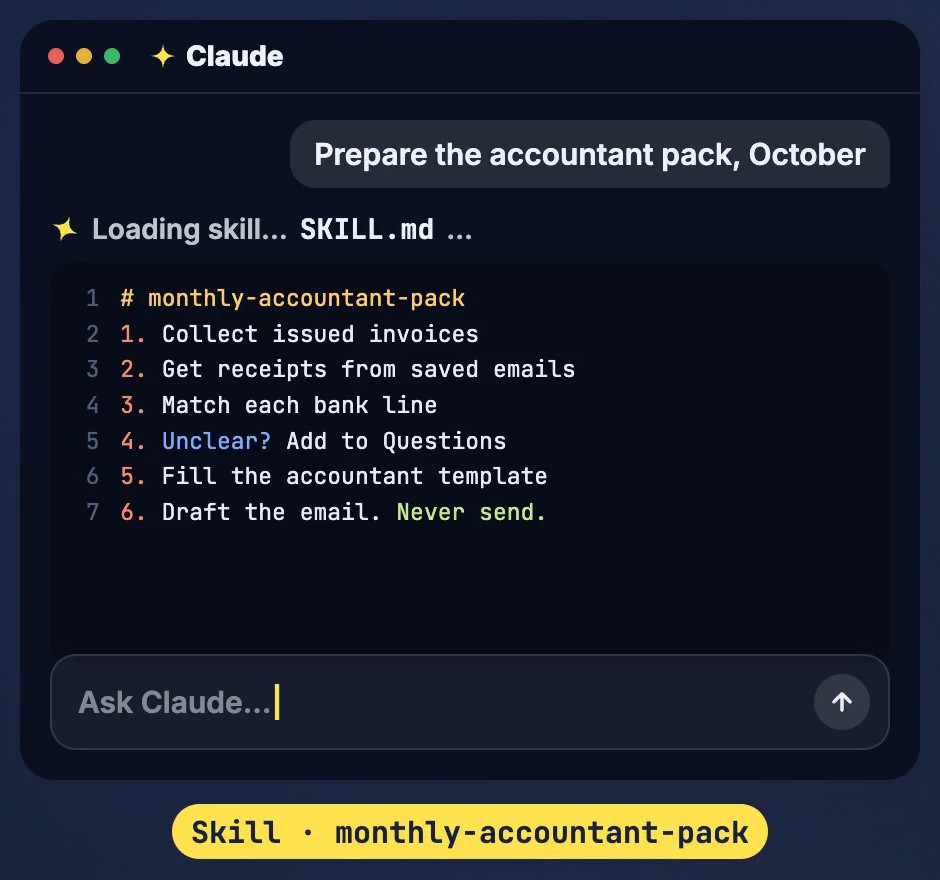
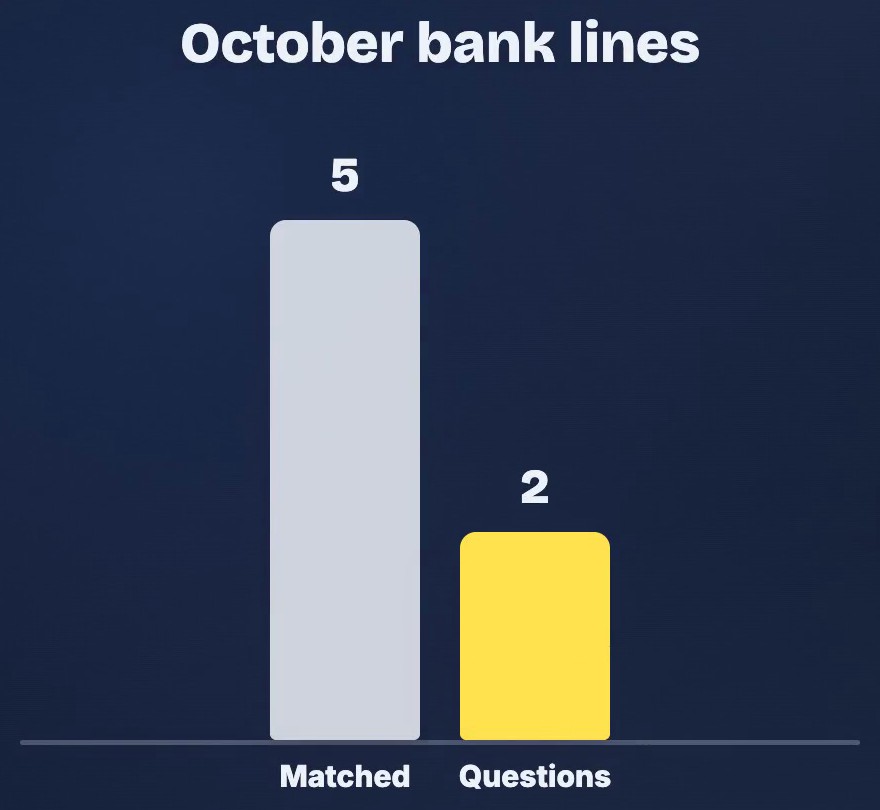
1. Gather. It listed 5 invoices issued, 3 expense receipts and 7 bank lines. One receipt arrived twice, in the original email and in a forwarded copy. It was counted once.
2. Match. It matched each bank line to a document. 5 of the 7 lines matched. One of them was a payout from the card payment platform: the payments for two invoices, minus 10.49 in platform fees.
3. Set aside. The 2 lines it couldn't explain went to a sheet called Questions:
| Date | Bank description | Amount | What's missing |
|---|---|---|---|
| 2026-10-17 | CARD CLOUDBOX*STORAGE | -9.99 | No receipt found in expenses_inbox for this payment |
| 2026-10-20 | TRANSFER IN OAK PINE RENTALS | 500.00 | 105.00 short of the invoice total; bank line has no invoice reference |
For the 105.00, it noted a possible reason: the gap equals the invoice VAT. It marked that reason to confirm, not as a fact. An invoice that simply hadn't been paid yet went on the list of unpaid invoices, not into Questions.
4. Fill and draft. It filled a copy of the accountant's template, pack_2026-10.xlsx, with four sheets: Issued, Expenses, Bank match and Questions. It zipped the documents. Then it wrote the email as a local file, email_draft.eml, with both files attached. The subject is "[DRAFT] October 2026 pack" and the first line reads:
DRAFT – NOT SENT. Review before sending.
Nothing was sent. Claude had no email tools in this run, and the skill says it never sends. Its last step is to report back in the chat and wait.

A person still checks
The skill does the preparation, not the decisions. Its own rules say so. It doesn't send, pay or delete anything. It doesn't calculate taxes, because that is the accountant's job. When something is missing, it adds a question instead of guessing.
The freelancer reads the questions, fixes what they can and sends the email themselves.
It took a few test runs
The first version of the skill wasn't right. In one run, Claude listed the platform fees as a question, even though the export already explained them. In others, it saved working files or ran commands outside the client's folder. Each time we added one clear line to the skill and ran it again on the same sample files.
The version in the video passed all 57 checks of our own checker. Every bank line, every question and every output file was compared with what we expected. That was one run with one model, on fictional files. Another model or another run could decide differently.
When to make a skill
If a task repeats and the steps are clear, make it a skill.
- Write the steps the way you would explain them to a new colleague.
- Say what the skill must never do, and what counts as a question.
- Test it on sample files before using real ones.
- Have a person check the result before anything leaves.
What monthly task would you write down first?
Sources
- Claude Code documentation: Extend Claude with skills (consulted 4 November 2026)
Fictional client and data; not tax or accounting advice. The reel is an illustration, not a recording of a live session: its chat and screens are drawn, and its figures come from one real Claude Code test run on fictional files (1 November 2026). The request, the Questions table and the email lines above are quoted from that run. AI voice by ElevenLabs. Music: “The Duel” by Michael Ramir C. (Mixkit).